
Alt+Tab, rebuilt for your window history
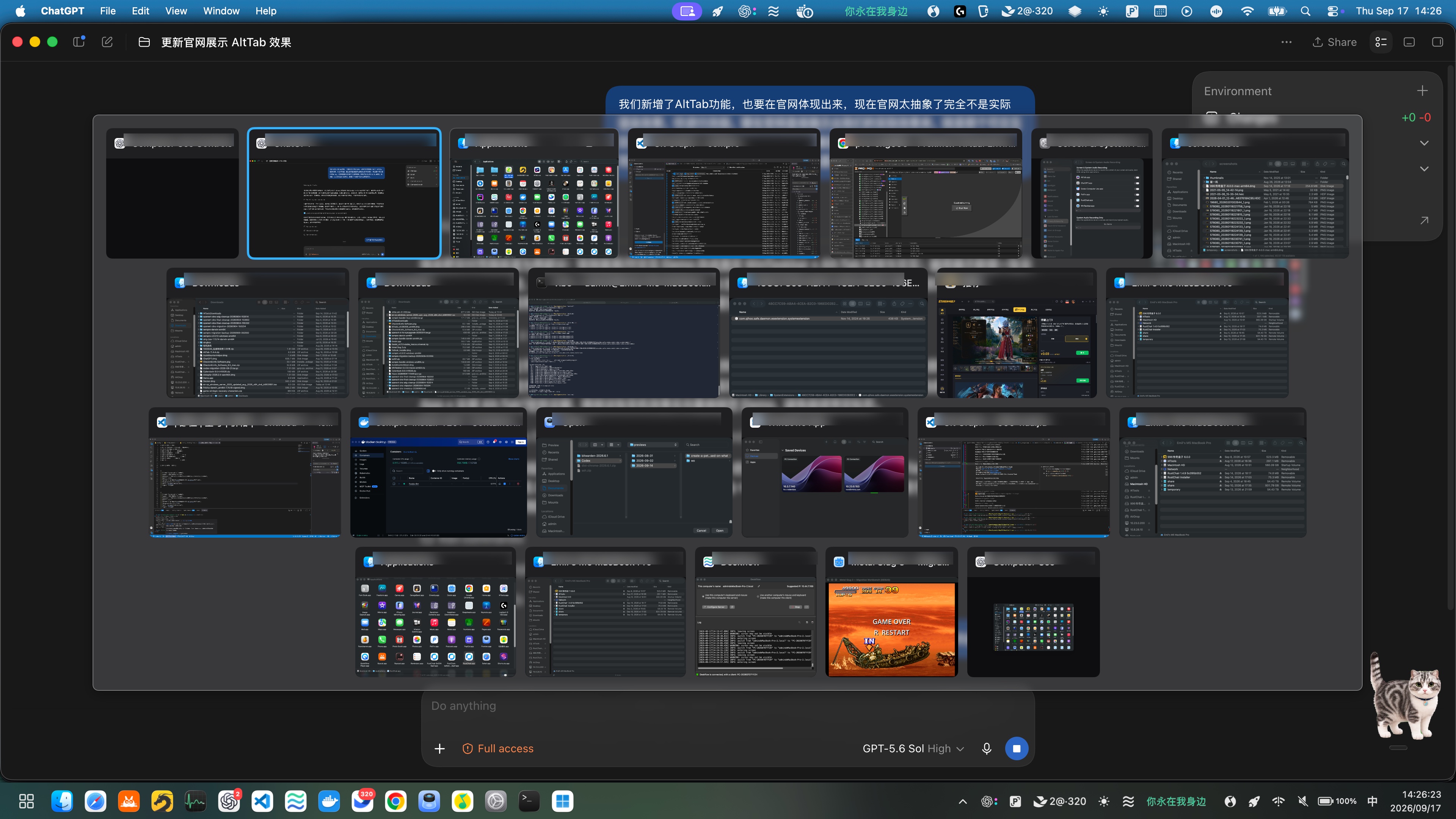
Hold the configured modifier, tap Tab to move through real window thumbnails in recent-use order, then release to activate.
- Real previews
- MRU order
- Forward + reverse
View full 4K capture ↗
WinTaskbar brings the taskbar, Start menu, live window previews, and a fast Alt+Tab switcher to macOS—without turning your Mac into a web mockup.
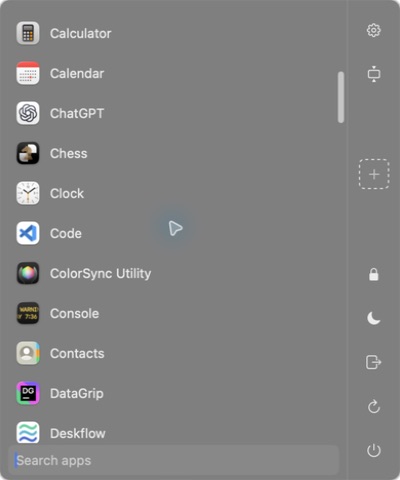
The controls switch between captures from the running app. Click the Start button in the taskbar, or open the full-screen Alt+Tab view.
Hold the configured modifier, tap Tab to move through real window thumbnails in recent-use order, then release to activate.
View full 4K capture ↗
Pinned and running apps, badges, drag ordering, previews, and active-state indicators.
Launch apps, search instantly, manage shortcuts, and reach system actions from one familiar surface.

Real thumbnails, MRU ordering, reverse cycling, and activation when the modifier is released.
Bottom, top, left, or right—with primary-only and all-display modes.
Built with AppKit and SwiftUI for a lightweight, Mac-first experience.
Live thumbnails, hover previews, activation, minimization, and window fitting.
Calendar, battery, volume, Wi-Fi, input source, power actions, and Show Desktop.
Reorder apps, create folders, and drop apps or files directly into shortcuts.
Choose the universal build for any modern Mac, or download an architecture-specific package.
